Now live in ChatGPT
Use NestPilot’s free tools right inside ChatGPT
Enable NestPilot once, then ask ChatGPT about Medicare timing, Social Security, Roth conversions, or when you can afford to retire — and get the same anonymous, math-backed answers that live at NestPilot Foundation. Free for everyone, including the ChatGPT free tier. No account, no signup, no separate website visit.
A short walkthrough of the four free Foundation tools running inside ChatGPT.
Step-by-step setup
Follow the screenshots, then ask your first question
Enable NestPilot once in ChatGPT. After that, ask naturally about the free retirement decisions this Foundation site already supports.
01
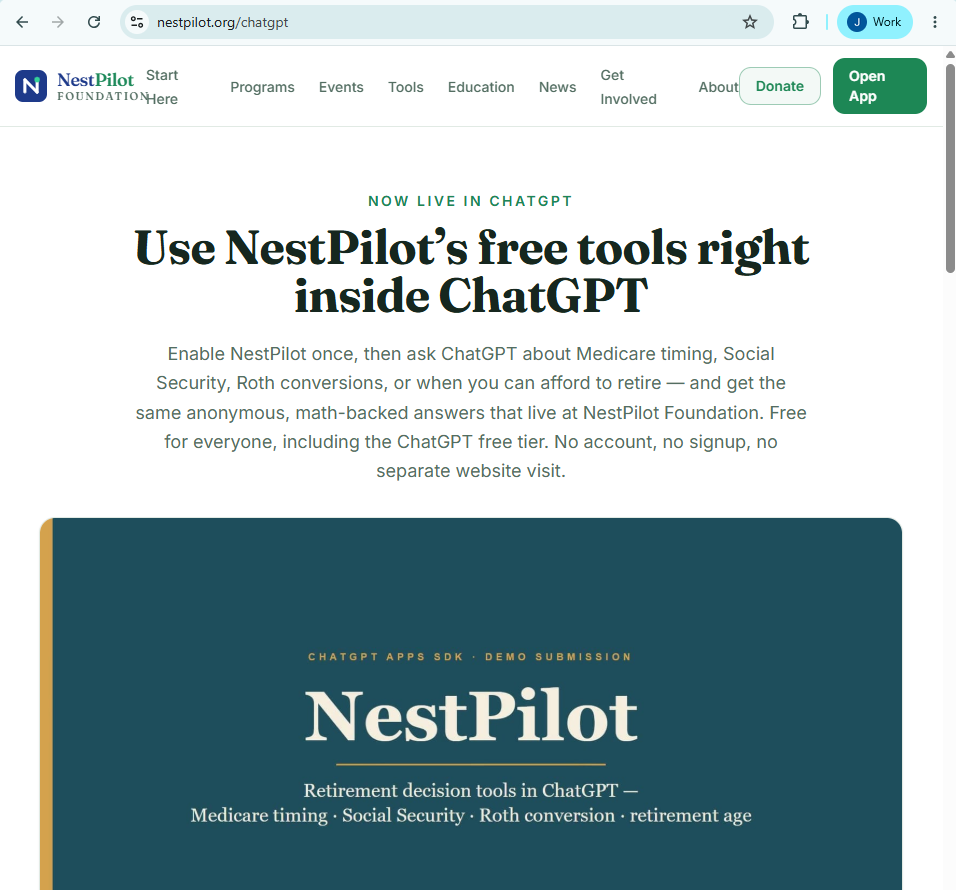
Open the NestPilot ChatGPT page
Start from this page so the free-tool framing is clear before you switch into ChatGPT.
You should see the Foundation page describe four free tools inside ChatGPT.
02
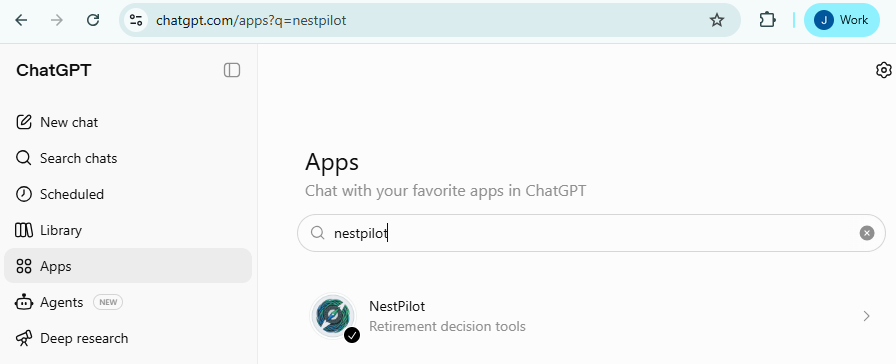
Search for NestPilot in ChatGPT
Open ChatGPT, go to the apps or connectors panel, and search for NestPilot.
You should see NestPilot listed as a retirement decision app.
If it does not appear, confirm apps or connectors are available for your ChatGPT account.
03
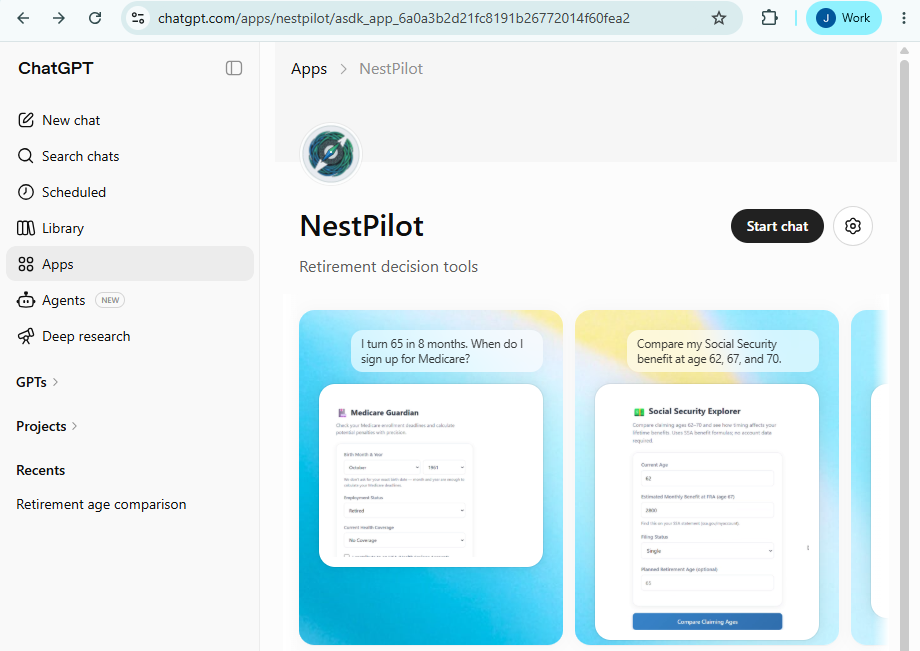
Enable NestPilot once
Open the NestPilot result and enable it for your ChatGPT account.
You should see NestPilot enabled or available before you return to the conversation.
04
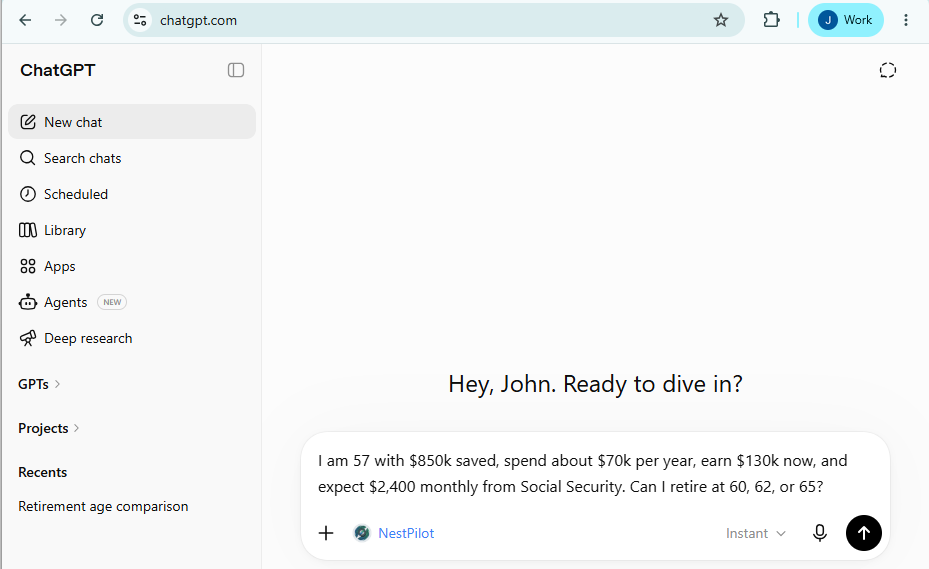
Ask a free-tool question
Ask a Medicare, Social Security, Roth conversion, or retirement-age question in plain English.
You should see your prompt in the composer before sending.
05
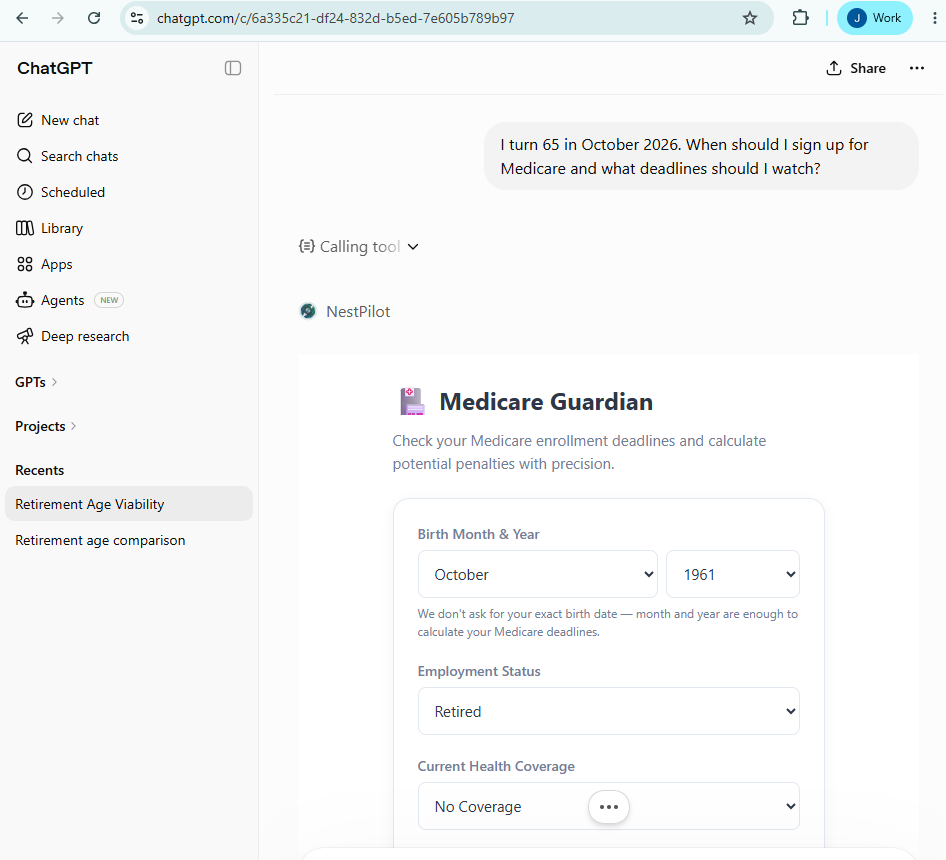
Confirm the widget appears
Send the question and wait for NestPilot to render in the conversation.
You should see a NestPilot widget with math-backed guidance for the free tool you asked about.
If the widget does not load, refresh ChatGPT and try the same prompt once more.
How to enable it
Three steps, about a minute
- 01
Search the ChatGPT apps directory
Open ChatGPT, find the apps / connectors panel, search for “NestPilot,” and click Enable. One-time setup per ChatGPT account.
- 02
Or just ask, and accept the prompt
Ask a question NestPilot handles — for example, “When should I enroll in Medicare?” — and ChatGPT will offer to enable NestPilot. Accept once and you’re set.
- 03
Ask away
After enabling, ChatGPT offers NestPilot automatically on retirement-timing questions. You can also invoke it explicitly — “use NestPilot to…” or “ask NestPilot about…”.
What you can ask
Four high-stakes decisions, answered in the conversation
Each tool renders as an interactive widget right in ChatGPT. Prefer the web? Every one of them is also free and anonymous at NestPilot Foundation.
Medicare enrollment timing
“When should I enroll in Medicare?”
The enrollment windows that close, the penalties that lock in for life, and a personalized next-steps checklist.
Or use it on the webSocial Security claiming age
“Should I claim at 62, my full retirement age, or 70?”
A side-by-side comparison from a single benefit number, with break-even analysis.
Or use it on the webRoth conversion candidacy
“Is a Roth conversion right for me?”
A directional read on whether your household is a strong, moderate, or weak conversion candidate.
Or use it on the webRetirement-age viability
“Can I afford to retire at 63?”
A comparison of candidate retirement ages with a drawdown model, healthcare bridge, and income gap.
Or use it on the web
Same commitments as the Foundation site
NestPilot inside ChatGPT is a distribution change, not a product change. The posture is identical to NestPilot Foundation on the web.
Anonymous
No NestPilot account, no bank login, no personally identifying information collected by the Foundation.
No products sold
No commissions, no advisor referrals, no upsells. The same 501(c)(3) operating commitments as the website.
The same math
The ChatGPT widgets call the same Foundation backend the web tools call. One engine, one set of numbers.
Open methodology
Every calculation cites primary sources — SSA.gov, Medicare.gov, IRS.gov — exactly as the web tools do.
Try it your way — ChatGPT or the web
Enable NestPilot in ChatGPT with the steps above, or use the same free, anonymous tools right here on the web. Either way, the math is the same and it’s always free.